Nginx只允许域名访问,禁止IP访问
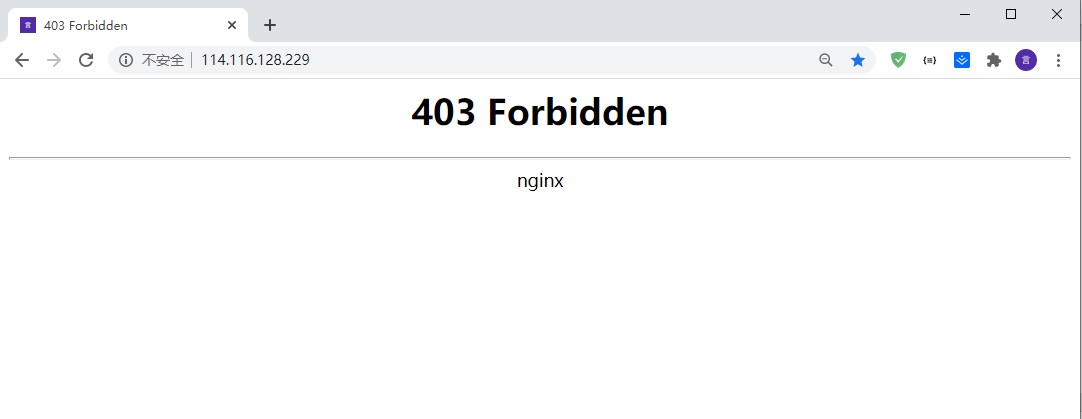
IP地址很容易暴露,通过域名访问则相对安全,而且不管换到哪台服务器上,只需要通过域名访问就行了。不希望自己的站点通过IP(114.116.128.229)被访问,只允许通过唯一域名Quibbler.cn访问。那么该如何设置呢?
1、Nginx配置
nginx配置文件是/usr/local/nginx/conf目录下的nginx.conf文件。修改server节点中部分字段:
...
        server_name quibbler.cn;
        if ($host != 'quibbler.cn'){
  			return 403;
		}
    ...
修改后的完整conf配置文件
user  www www;
worker_processes auto;
worker_cpu_affinity auto;
error_log  /home/wwwlogs/nginx_error.log  crit;
pid        /usr/local/nginx/logs/nginx.pid;
#Specifies the value for maximum file descriptors that can be opened by this process.
worker_rlimit_nofile 51200;
events
    {
        use epoll;
        worker_connections 51200;
        multi_accept off;
        accept_mutex off;
    }
http
    {
        include       mime.types;
        default_type  application/octet-stream;
        server_names_hash_bucket_size 128;
        client_header_buffer_size 32k;
        large_client_header_buffers 4 32k;
        client_max_body_size 50m;
        sendfile on;
        sendfile_max_chunk 512k;
        tcp_nopush on;
        keepalive_timeout 60;
        tcp_nodelay on;
        fastcgi_connect_timeout 300;
        fastcgi_send_timeout 300;
        fastcgi_read_timeout 300;
        fastcgi_buffer_size 64k;
        fastcgi_buffers 4 64k;
        fastcgi_busy_buffers_size 128k;
        fastcgi_temp_file_write_size 256k;
        gzip on;
        gzip_min_length  1k;
        gzip_buffers     4 16k;
        gzip_http_version 1.1;
        gzip_comp_level 2;
        gzip_types     text/plain application/javascript application/x-javascript;
        gzip_vary on;
        gzip_proxied   expired no-cache no-store private auth;
        gzip_disable   "MSIE [1-6]\.";
        #limit_conn_zone $binary_remote_addr zone=perip:10m;
        ##If enable limit_conn_zone,add "limit_conn perip 10;" to server section.
        server_tokens off;
        access_log off;
server
    {
        listen 80 default_server reuseport;
        #listen [::]:80 default_server ipv6only=on;
        server_name quibbler.cn;
        if ($host != 'quibbler.cn'){
  			return 403;
		}
        index index.html index.htm index.php;
        root  /home/wwwroot/default;
        #error_page   404   /404.html;
        # Deny access to PHP files in specific directory
        #location ~ /(wp-content|uploads|wp-includes|images)/.*\.php$ { deny all; }
        include enable-php.conf;
        location /nginx_status
        {
            stub_status on;
            access_log   off;
        }
        location ~ .*\.(gif|jpg|jpeg|png|bmp|swf)$
        {
            expires      30d;
        }
        location ~ .*\.(js|css)?$
        {
            expires      12h;
        }
        location ~ /.well-known {
            allow all;
        }
        location ~ /\.
        {
            deny all;
        }
        access_log  /home/wwwlogs/access.log;
    }
include vhost/*.conf;
}
2、重启Nginx
进入到nginx可执行文件目录。
cd /usr/local/nginx/sbin重启nginx服务,让修改的配置生效。
./nginx -s reload这样就只允许通过域名访问。
参考资料: