
Android对话框:Dialog
对话框在Android开发中使用频率很高,各种弹框及数据选择输入,比如:时间选择器:DatePicker和TimePicker
默认的Dialog什么也没有,一般使用它的派生类AlertDialog,或者MaterialDialog。
Dialog dialog = new Dialog(this);
    dialog.show();
1、AlertDialog
AlertDialog比较常用,通过AlertDialog.Builder创建AlertDialog对话框并显示。AlertDialog.Builder常用方法:
setIcon():设置图标icon
setTitle():设置对话框标题
setMessage():设置对话框中间显示信息
setPositiveButton():确定
setNegativeButton():取消
setNeutralButton():中立
setCancelable(false):点击其它区域、返回键是否自动取消。(对于AlertDialog有效,DialogFragment无效)
1.1、基本弹框
取消-确认
AlertDialog.Builder builder = new AlertDialog.Builder(this);

        //设置Builder
        builder.setTitle("标题")
                .setMessage("Dialog内容")
                .setPositiveButton("确定", new DialogInterface.OnClickListener() {
                    @Override
                    public void onClick(DialogInterface dialog, int which) {

                    }
                })
                .setNegativeButton("取消", new DialogInterface.OnClickListener() {
                    @Override
                    public void onClick(DialogInterface dialog, int which) {

                    }
                });
        //显示
        builder.create().show();

        //或者
        //Dialog dialog = builder.create();
        //dialog.show();
添加Icon和setNeutralButton()

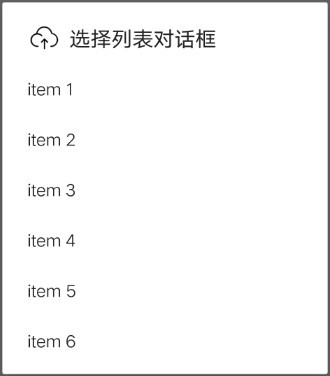
1.2、选择列表Dialog
两种方法设置Dialog的列表
//传入数组[]
    setItems(CharSequence[] items, final OnClickListener listener)
    //传入values/arrays.xml中定义的<string-array> id
setItems(@ArrayRes int itemsId, final OnClickListener listener)注意:设置setItems(),不要再设置setMessage(),否则只显示Message而不显示列表。
private String[] items = {"item 1", "item 2", "item 3", "item 4", "item 5", "item 6"};

    builder.setTitle("标题")
            .setIcon(R.drawable.layout_1)
            .setItems(items, new DialogInterface.OnClickListener() {
                @Override
                public void onClick(DialogInterface dialog, int which) {
                    //which就是选择列表的index
                }
            });
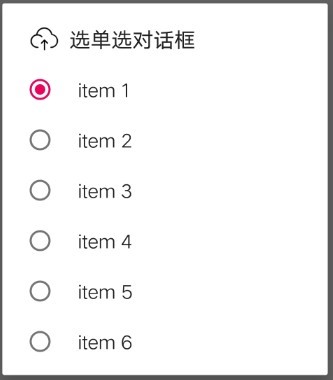
1.3、单选Dialog
setSingleChoiceItems方法设置单选,需要设置默认选中(一般第一个0)
setSingleChoiceItems(items, 0, new DialogInterface.OnClickListener() {
                        @Override
                        public void onClick(DialogInterface dialog, int which) {
                            //选择第which个
                        }
                    });
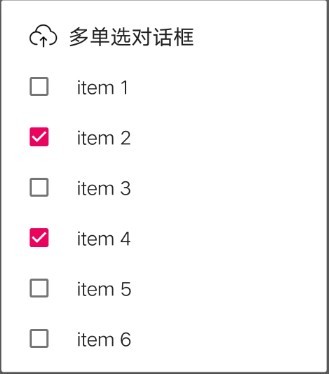
1.4、多选Dialog
定义多选列表和默认选中状态,因为多选所以传入的默认也需要是数组。
private String[] items = {"item 1", "item 2", "item 3", "item 4", "item 5", "item 6"};
private boolean[] checkeds = {false, false, false, false, false, false};设置setMultiChoiceItems()
setMultiChoiceItems(items, checkeds, new DialogInterface.OnMultiChoiceClickListener() {
                    @Override
                    public void onClick(DialogInterface dialog, int which, boolean isChecked) {
                        Log.d("QUIBBLER", "which = " + which + ",isChecked " + isChecked);
                    }
                });
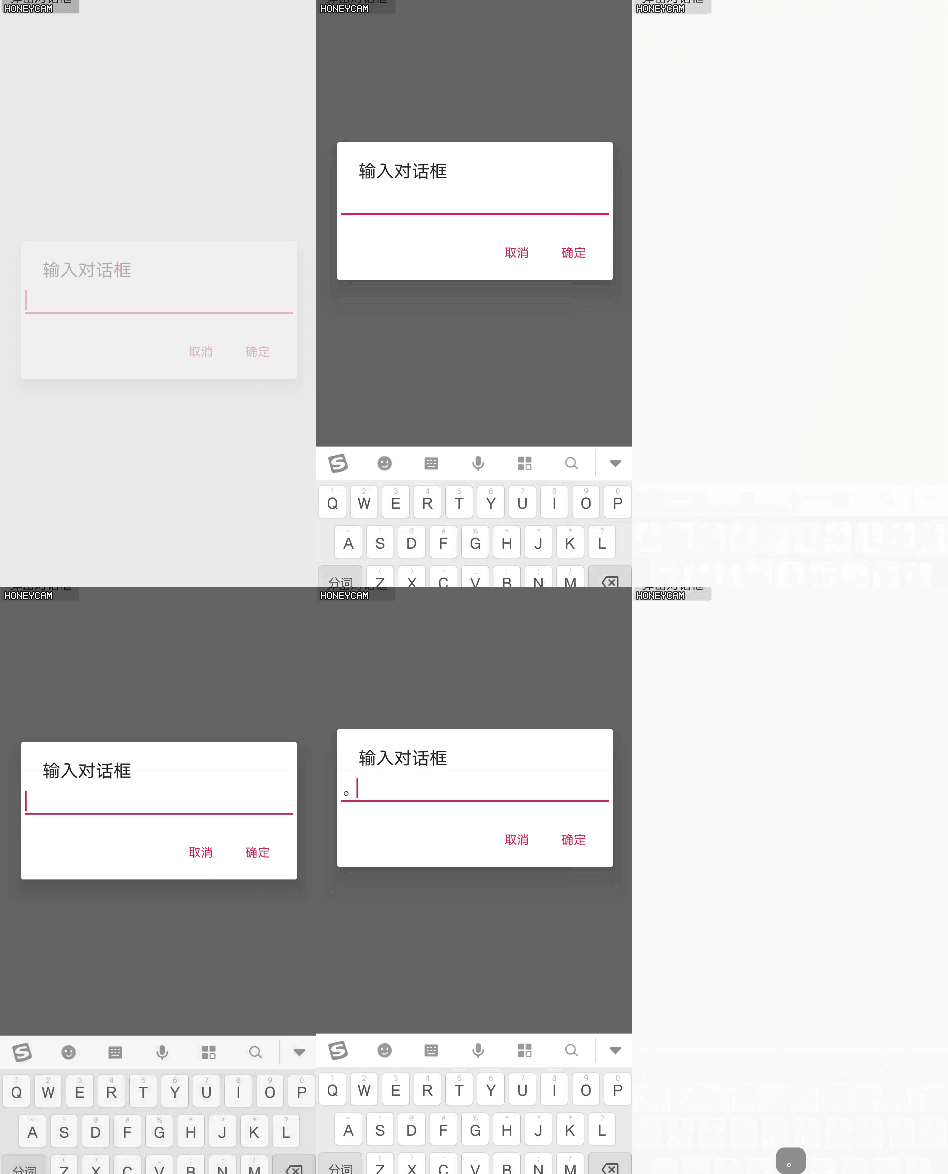
1.5、输入Dialog
弹出对话框输入,自动弹出输入法,点击其它区域关闭对话框,收起输入法。setView()方法给Dialog添加一个EditText。曾经实现这个试了好多次,现在记录一下。
//创建输入EditText
        EditText editText = new EditText(this);
        editText.requestFocus();

        //Dialog配置
        AlertDialog.Builder builder = new AlertDialog.Builder(this);
        builder.setTitle("输入对话框")
                .setView(editText)
                .setPositiveButton("确定", new DialogInterface.OnClickListener() {
                    @Override
                    public void onClick(DialogInterface dialog, int which) {
                        Toast.makeText(mContext, editText.getText(), Toast.LENGTH_SHORT).show();
                    }
                })
                .setNegativeButton("取消", new DialogInterface.OnClickListener() {
                    @Override
                    public void onClick(DialogInterface dialog, int which) {
                    }
                })
                .create();

        //Dialog配置输入法,显示
        Dialog dialog = builder.create();
        dialog.getWindow().setSoftInputMode(WindowManager.LayoutParams.SOFT_INPUT_STATE_ALWAYS_VISIBLE);
dialog.show();是给Dialog 的Window设置setSoftInputMode()为WindowManager.LayoutParams.SOFT_INPUT_STATE_ALWAYS_VISIBLE。如果在AndroidManifest给Activity设置android:windowSoftInputMode="stateAlwaysVisible",输入法将一直存在不能自动收起。
源码片段:
仔细捋一捋,AlertDialog继承自AppCompatDialog,AppCompatDialog继承自基类Dialog,在基类Dialog中有一个说明:
/**
     * Dialog类型的基类.
     *
     * Note: Activities provide a facility to manage the creation, saving and
     * restoring of dialogs. See {@link Activity#onCreateDialog(int)},
     * {@link Activity#onPrepareDialog(int, Dialog)},
     * {@link Activity#showDialog(int)}, and {@link Activity#dismissDialog(int)}. If
     * these methods are used, {@link #getOwnerActivity()} will return the Activity
     * that managed this dialog.
     *
     * Often you will want to have a Dialog display on top of the current
     * input method, because there is no reason for it to accept text.  You can
     * do this by setting the {@link WindowManager.LayoutParams#FLAG_ALT_FOCUSABLE_IM
     * WindowManager.LayoutParams.FLAG_ALT_FOCUSABLE_IM} window flag (assuming
     * your Dialog takes input focus, as it the default) with the following code:
     *
     * getWindow().setFlags(WindowManager.LayoutParams.FLAG_ALT_FOCUSABLE_IM,
     *         WindowManager.LayoutParams.FLAG_ALT_FOCUSABLE_IM);</pre>
*/Dialog.getWindow()源码及其说明如下:
/**
     * 检索Activity当前窗口。这可用于直接访问Activity/Screen中不可用的Window部分API。
     *
     * @return Window当前窗口,如果活动不可见,则为空。
     */
    public @Nullable Window getWindow() {
        return mWindow;
    }
2、ProgressDialog @deprecate
进度对话框
ProgressDialog progressDialog = new ProgressDialog(this);
        progressDialog.setIcon(R.mipmap.ic_launcher);
        progressDialog.setTitle("加载dialog");
        progressDialog.setMessage("加载中...");
        //精度条水平,默认是转圈圈
        progressDialog.setProgressStyle(ProgressDialog.STYLE_HORIZONTAL);
        // 是否形成一个加载动画  true表示不明确加载进度形成转圈动画  false 表示明确加载进度
        progressDialog.setIndeterminate(true);
        //点击返回键或者dialog四周是否关闭dialog  true表示可以关闭 false表示不可关闭
        progressDialog.setCancelable(false);
        progressDialog.show();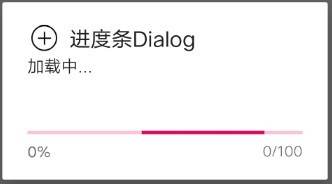
3、自定义Dialog
定义好Layout布局,inflate成View,在setView()添加到Dialog即可
View view = LayoutInflater.from(mContext).inflate(R.layout.dialog_layout_my, null);
        //布局中的控件
        Button button = view.findViewById(R.id.button);
        button.setOnClickListener((v) -> {
            Toast.makeText(mContext, "点击Button", Toast.LENGTH_SHORT).show();
        });

        AlertDialog.Builder builder = new AlertDialog.Builder(this);
        builder.setView(view)
                .show();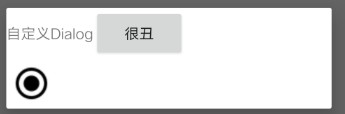
4、DialogFragment
默认的DialogFragment继承自Fragment,实现了Dialog相关接口。
public class DialogFragment extends Fragment implements DialogInterface.OnCancelListener, DialogInterface.OnDismissListener{
        ...
    }
不能使用默认的DialogFragment,因为什么都没有:
DialogFragment dialogFragment = new DialogFragment();
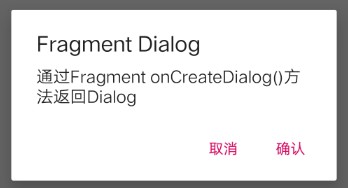
dialogFragment.show(getSupportFragmentManager(), "DialogFragment");自定义DialogFragment,继承DialogFragment,重写其中的public Dialog onCreateDialog(Bundle savedInstanceState)方法。注意不要和Fragment混淆,不要重写public View onCreateView(LayoutInflater inflater,ViewGroup container, Bundle savedInstanceState)方法。
public class MyDialogFragment extends DialogFragment {

        //在onCreate中拿到外部传入的参数
        public void onCreate(@Nullable Bundle savedInstanceState) {
            super.onCreate(savedInstanceState);
        }

        //在onCreateDialog中构建一个alertDialog对象
        public Dialog onCreateDialog(@Nullable Bundle savedInstanceState) {
            AlertDialog.Builder builder = new AlertDialog.Builder(getContext());
            return builder.create();
        }

        //处理dismiss响应事件
        public void dismiss() {
            super.dismiss();
        }
    }
①在onCreate中拿到外部传入的参数
②在onCreateDialog中构建一个alertDialog对象
③通过DialogFragment的show()来显示对话框
和普通AlertDialog使用一样,相当于封装了AlertDialog,各司其职。
5、Dialog Style
Activity主题Theme有各种style,参考Android主题Theme探究。Dialog也有,默认弹出Dialog对话框,背景会变暗。
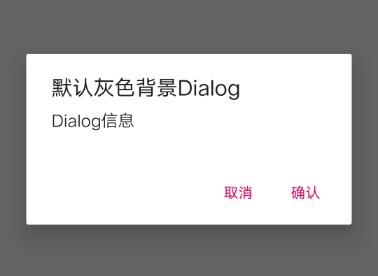
可以给Dialog也设置style样式,系统预定义了很多style。
<!--Dialog透明背景-->
    <style name="NoBackgroundDialog" parent="Theme.AppCompat.Light.Dialog.Alert">
        <!--        <item name="android:windowBackground">@android:color/transparent</item>-->
        <!--        <item name="android:windowIsTranslucent">false</item>-->
        <item name="android:backgroundDimEnabled">false</item>
</style>在创建AlertDialog.Builder 的时候style当做参数传入
//另一个重载的构造函数,传入Contex、style资源id
    AlertDialog.Builder builder = new AlertDialog.Builder(getContext(), R.style.NoBackgroundDialog);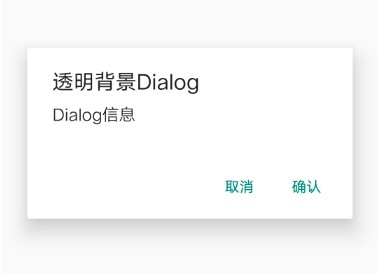
6、第三方Dialog
在GitHub上看到很多开源的优秀项目,就有漂亮的Dialog可以使用和参考:
GitHub material-dialogs
GitHub FlycoDialog_Master
相关博客:


