
补间动画:Tween Animation
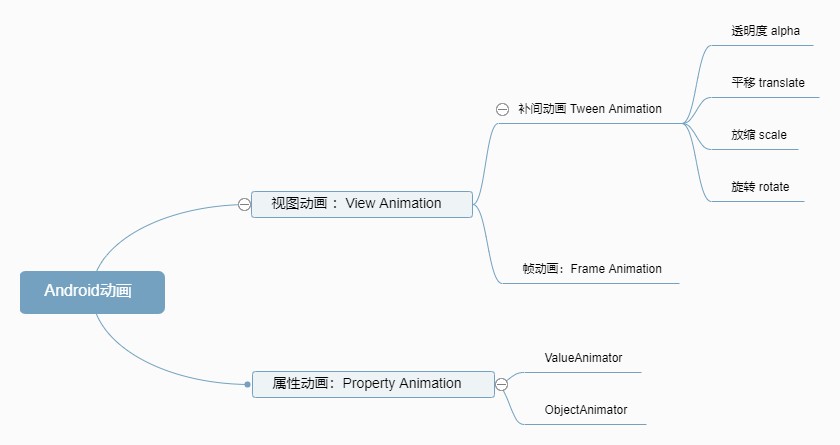
Android动画有两种:视图动画和属性动画。视图动画从API 1开始有的,属性动画从API 11才被引入。视图动画又包括补间动画、帧动画,关于帧动画参考《逐帧动画》,现在来学学补间动画。
1、Tween Animation
补间动画可以对View对象的内容执行一系列简单的转换(位置,大小,旋转和透明度)。android.view.animation包中定义了补间动画设计到的所有的类(该包中还定义了熟知的Interpolator、AnimationListener等接口)。
1.1、 代码方法
视图动画继承自Animation抽象类,关于Animation类的介绍,之前已经专门了解过,详见《动画抽象类Animation》。
1.2、xml属性
可以用代码定义四种补间动画,先来了解一些xml属性
①android:duration:动画持续时长
②android:repeatCount:设置重复次数,设置1时重复1次而不是播放一次(动画会播放两次)
③android:repeatMode:重复模式,只有两种值:restart/reverse
④android:pivotX:旋转中心X坐标。有三种:绝对数字、绝对数字%、绝对数字P。分别对应ABSOLUTE、RELATIVE_TO_SELF、RELATIVE_TO_PARENT。
⑤android:pivotY:旋转中心Y坐标。取值含义同上
⑥android:visible:提供可绘制对象的初始可见性状态;默认值为false
⑦android:fillAfter:是否停留在动画结束的画面
⑧android:fromDegrees:旋转动效结束角度
⑨android:toDegrees:旋转动效开始角度
⑩android:fromXScale:放缩动画X轴开始大小
⑪android:toXScale:放缩动画X轴结束大小
⑫android:fromYScale:放缩动画Y轴开始大小
⑬android:toYScale:放缩动画Y轴结束大小
⑭android:toYDelta:平移动画结束Y轴位置
⑮android:fromYDelta:平移动画起始Y轴位置
⑯android:toXDelta:平移动画结束X轴位置
⑰android:fromXDelta:平移动画起始X轴位置
⑱android:fromAlpha:透明度动效开始透明度
⑲android:toAlpha:透明度动效结束时View透明度
⑳android:shareInterpolator:AnimationSet属性,是否共享插值器。
2、四种补间动画
介绍四种补间动画:RotateAnimation、TranslateAnimation、ScaleAnimation、AlphaAnimation,及其XML、代码实现方式。代码构造方式调用四种不同的补间动画类构造方法。XML构造方式动画定义在res/anim目录中,通过AnimationUtils类加载动画并执行:
Animation animation = AnimationUtils.loadAnimation(this, R.anim.rotate);
    mImageView.startAnimation(animation );
2.1、RotateAnimation
通过RotateAnimation类构造方法构造旋转动画实例
①RotateAnimation(float fromDegrees, float toDegrees)
②RotateAnimation(float fromDegrees, float toDegrees, float pivotX, float pivotY)
③RotateAnimation(float fromDegrees, float toDegrees, int pivotXType, float pivotXValue, int pivotYType, float pivotYValue)
/**
     * Constructor to use when building a RotateAnimation from code
     *
     * @param fromDegrees 旋转偏移量将在动画开始时应用。
     *
     * @param toDegrees 旋转偏移量将在动画结束时应用。
     *
     * @param pivotXType 指定应如何解释ivotXValue。
     *                   Animation.ABSOLUTE,Animation.RELATIVE_TO_SELF或Animation.RELATIVE_TO_PARENT之一。
     * @param pivotXValue 对象绕其旋转的点的X坐标,指定为绝对数字,其中0是左边缘。
     *                    如果ivotXType为ABSOLUTE,则此值可以是绝对数,否则可以是百分比(其中1.0是100%)。
     * @param pivotYType
     * @param pivotYValue
     */
    public RotateAnimation(float fromDegrees, float toDegrees, int pivotXType, float pivotXValue,
            int pivotYType, float pivotYValue)
xml定义示例:以自身50%也就是中心旋转。
<?xml version="1.0" encoding="utf-8"?>
	<rotate xmlns:android="http://schemas.android.com/apk/res/android"
	    android:duration="1000"
	    android:fromDegrees="0"
	    android:pivotX="50%"
	    android:pivotY="50%"
	    android:repeatCount="5"
	    android:repeatMode="reverse"
	    android:toDegrees="90"
	    android:visible="false"/>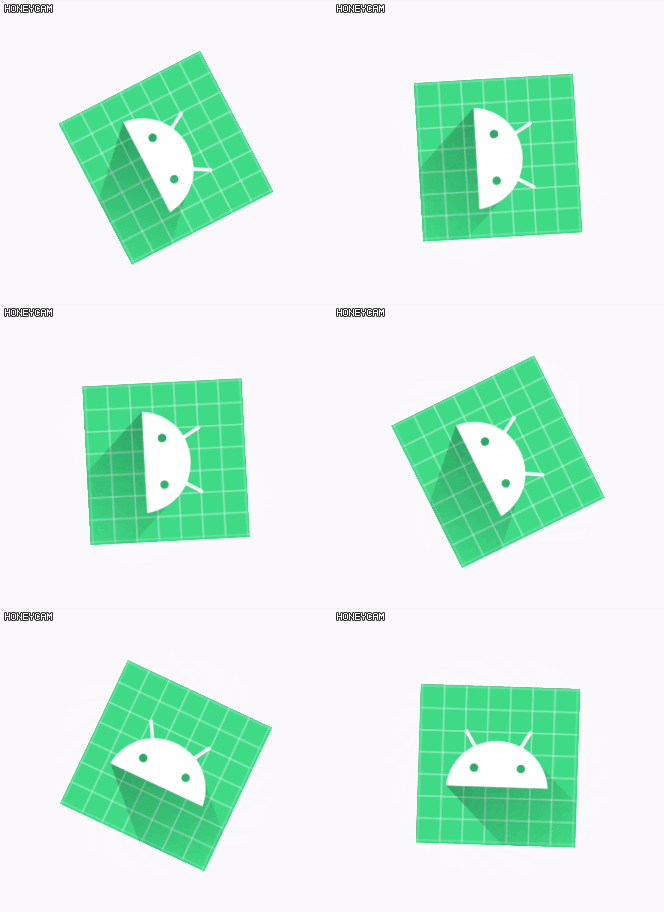
2.2、TranslateAnimation
通过TranslateAnimation类构造位置移动动画。
①TranslateAnimation(float fromXDelta, float toXDelta, float fromYDelta, float toYDelta)
②TranslateAnimation(int fromXType, float fromXValue, int toXType, float toXValue,int fromYType, float fromYValue, int toYType, float toYValue)
/**
     * Constructor to use when building a TranslateAnimation from code
     *
     * @param fromXType Specifies how fromXValue should be interpreted. One of
     *        Animation.ABSOLUTE, Animation.RELATIVE_TO_SELF, or
     *        Animation.RELATIVE_TO_PARENT.
     * @param fromXValue Change in X coordinate to apply at the start of the
     *        animation. This value can either be an absolute number if fromXType
     *        is ABSOLUTE, or a percentage (where 1.0 is 100%) otherwise.
     * @param toXType Specifies how toXValue should be interpreted. One of
     *        Animation.ABSOLUTE, Animation.RELATIVE_TO_SELF, or
     *        Animation.RELATIVE_TO_PARENT.
     * @param toXValue Change in X coordinate to apply at the end of the
     *        animation. This value can either be an absolute number if toXType
     *        is ABSOLUTE, or a percentage (where 1.0 is 100%) otherwise.
     * @param fromYType Specifies how fromYValue should be interpreted. One of
     *        Animation.ABSOLUTE, Animation.RELATIVE_TO_SELF, or
     *        Animation.RELATIVE_TO_PARENT.
     * @param fromYValue Change in Y coordinate to apply at the start of the
     *        animation. This value can either be an absolute number if fromYType
     *        is ABSOLUTE, or a percentage (where 1.0 is 100%) otherwise.
     * @param toYType Specifies how toYValue should be interpreted. One of
     *        Animation.ABSOLUTE, Animation.RELATIVE_TO_SELF, or
     *        Animation.RELATIVE_TO_PARENT.
     * @param toYValue Change in Y coordinate to apply at the end of the
     *        animation. This value can either be an absolute number if toYType
     *        is ABSOLUTE, or a percentage (where 1.0 is 100%) otherwise.
     */
    public TranslateAnimation(int fromXType, float fromXValue, int toXType, float toXValue,
            int fromYType, float fromYValue, int toYType, float toYValue)
xml示例:相对自身%纵坐标Y轴平移150%
<?xml version="1.0" encoding="utf-8"?>
     <translate xmlns:android="http://schemas.android.com/apk/res/android"
         android:duration="1500"
         android:fillAfter="true"
         android:fromYDelta="0%"
         android:toYDelta="150%" />
2.3、ScaleAnimation
通过ScaleAnimation类构造放缩动画,有三种构造方法。
①ScaleAnimation(float fromX, float toX, float fromY, float toY)
②ScaleAnimation(float fromX, float toX, float fromY, float toY,float pivotX, float pivotY)
③ScaleAnimation(float fromX, float toX, float fromY, float toY,int pivotXType, float pivotXValue, int pivotYType, float pivotYValue)
xml示例1:相对自身从50%放大到100%
<?xml version="1.0" encoding="utf-8"?>
     <scale xmlns:android="http://schemas.android.com/apk/res/android"
         android:duration="1500"
         android:fillAfter="true"
         android:fromXScale="50%"
         android:fromYScale="50%"
         android:toXScale="100%"
         android:toYScale="100%" />
xml示例2:按绝对值从0.5倍大小放缩到1.0大小
<?xml version="1.0" encoding="utf-8"?>
     <scale xmlns:android="http://schemas.android.com/apk/res/android"
         android:duration="1500"
         android:fillAfter="true"
         android:fromXScale="0.5"
         android:fromYScale="0.5"
         android:toXScale="1.0"
         android:toYScale="1.0" />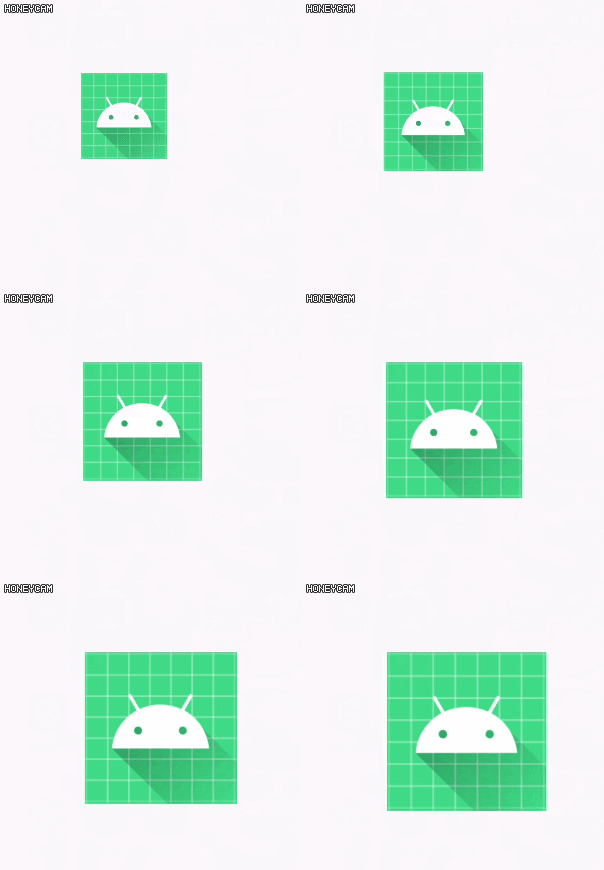
2.4、AlphaAnimation
通过AlphaAnimation类构造透明度变化的动画效果。
①AlphaAnimation(float fromAlpha, float toAlpha)
/**
     * Constructor to use when building an AlphaAnimation from code
     *
     * @param fromAlpha 动画的起始Alpha值,其中1.0表示完全不透明,而0.0表示完全透明。
     * @param toAlpha 动画的结尾Alpha值。
     */
xml示例:从0.3透明度恢复到不透明1.0,持续时长1500ms
<?xml version="1.0" encoding="utf-8"?>
     <alpha xmlns:android="http://schemas.android.com/apk/res/android"
         android:duration="1500"
         android:fromAlpha="0.3"
         android:repeatCount="5"
         android:toAlpha="1.0" />
3、动画集合 AnimationSet
上面一个一个结束了四种补间动画,都是单个的,还可以把它们都组合起来,成为一个复杂的动画集合AnimationSet。代码构造动画集合,只有一个参数的构造函数,是否共享插值器
/**
     * Constructor to use when building an AnimationSet from code
     *
     * @param shareInterpolator 如果此集中的所有动画都应使用与此AnimationSet关联的插值器,则传递true;
     *                          如果每个动画应使用其自己的插值器,则传递false。
     */
    public AnimationSet(boolean shareInterpolator) {
        setFlag(PROPERTY_SHARE_INTERPOLATOR_MASK, shareInterpolator);
        init();
    }
添加动画
AnimationSet animationSet = new AnimationSet(true);

    animationSet.addAnimation(rotateAnimation);
    animationSet.addAnimation(alphaAnimation);
    animationSet.addAnimation(translateAnimation);
    animationSet.addAnimation(scaleAnimation);
    animationSet.setRepeatMode(Animation.RESTART);
    animationSet.setRepeatCount(1);//设置整个动效集合的重复次数,对于子动画无效,子动画该重复的还是重复。

    animationSet.setDuration(1500);
xml示例:将前面的4中动画都放到一个Set集合中
<?xml version="1.0" encoding="utf-8"?>
     <set xmlns:android="http://schemas.android.com/apk/res/android"
         android:duration="1500"
         android:fillAfter="true"
         android:shareInterpolator="true">
         <alpha
             android:duration="1500"
             android:fromAlpha="0.3"
             android:toAlpha="1.0" />
         <rotate
             android:duration="1000"
             android:fromDegrees="0"
             android:pivotX="50%"
             android:pivotY="50%"
             android:toDegrees="90"
             android:visible="false" />
         <translate
             android:duration="1500"
             android:fillAfter="true"
             android:fromYDelta="0%"
             android:toYDelta="150%" />
         <scale
             android:duration="1500"
             android:fillAfter="true"
             android:fromXScale="0.5"
             android:fromYScale="0.5"
             android:toXScale="1.0"
             android:toYScale="1.0" />
     </set>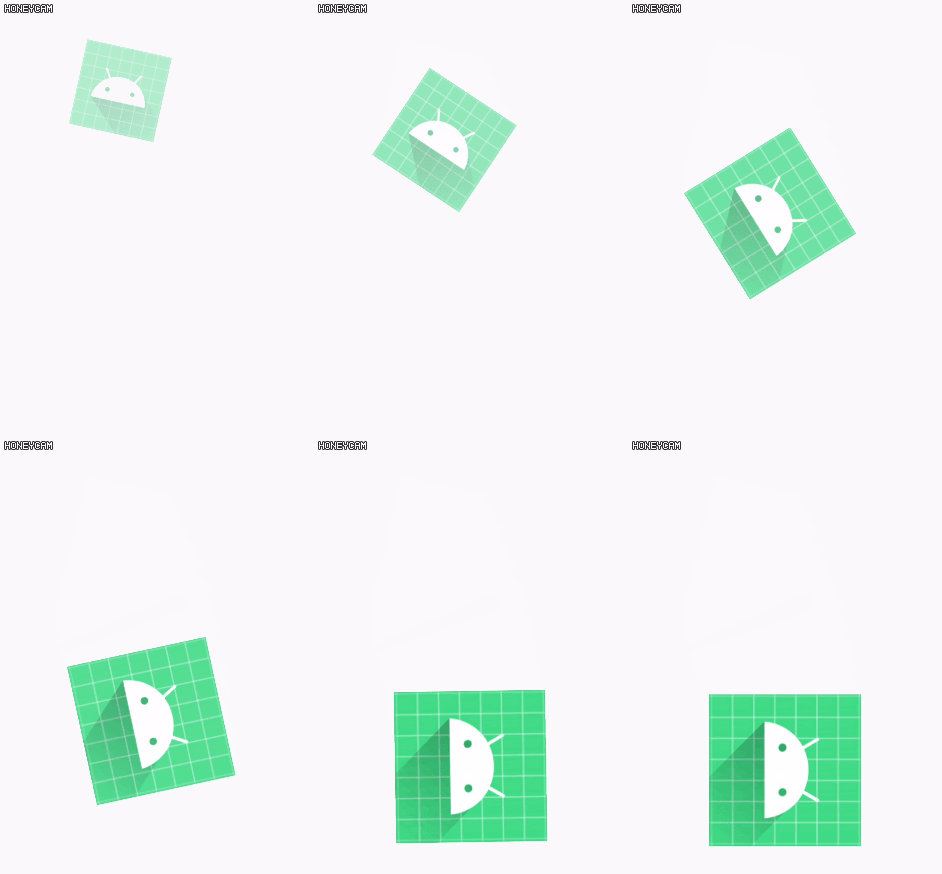
参考资料:


