
ShapeDrawable:Android自定义背景
自定义背景样式shape,在res/drawable目录下。一般通过setBackground()设置成TextView、Button等控件的背景。让程序员也可以定义多种多样的背景。
更多Drawable详见Android Drawable。
1、shape
自定义背景样式根标签<shape></shape>,形状shape有四种可以选择:rectangle、oval、line、ring。关于shape其实还有专门的形状类:Shape,详见Drawable中的形状:Shape。
<?xml version="1.0" encoding="utf-8"?>
     <shape xmlns:android="http://schemas.android.com/apk/res/android"
         android:shape="rectangle">

         <!-- rectangle:矩形、圆角矩形、弧形等
             oval:圆、椭圆
             line:线、实线、虚线
             ring:环形 -->
     </shape>
2、基本属性
shape的常用属性:size、solid、stroke、padding、gradient、corners等,来丰富Drawable背景样式。
2.1、size
size:大小,不设置则默认为match_parent最大填充
<size
        android:width="integer"
        android:height="integer" />
2.2、solid
solid:背景填充的颜色
<solid
        android:color="color" />
2.3、stroke
stroke:刻画边线
<stroke
        android:width="integer"
        android:color="color"
        android:dashWidth="integer"   <!-- 虚线长度 -->
        android:dashGap="integer" />  <!-- 虚线间隔 -->
2.4、padding
padding:设置内容与形状边界的内间距
<padding
        android:left="integer"
        android:top="integer"
        android:right="integer"
        android:bottom="integer" />
2.5、gradient
gradient:渐变色。关于渐变色,在Shader着色器中有了解到一些,比如线性着色器LinearGradient,放射渐变着色器RadialGradient等等。详见《大有可为的着色器:Shader》。
<gradient
        <!-- 渐变的角度,线性渐变时才有效,必须是45的倍数 -->
        android:angle="integer"
        <!-- 渐变中心的相对X、Y坐标,放射渐变时才有效 -->
        android:centerX="integer"
        android:centerY="integer"
        <!-- 渐变的半径,放射渐变(radial)时才有效-->
        android:gradientRadius="integer"
        <!-- 渐变开始、中心、结束的颜色 -->
        android:startColor="color"
        android:centerColor="integer"
        android:endColor="color"
        <!-- 渐变的类型 linear线性、radial放射、sweep扫描-->
        android:type=["linear" | "radial" | "sweep"]
        <!--  是否可在LevelListDrawable中使用 -->
        android:useLevel=["true" | "false"] />
2.6、corners
corners:圆角,只适用于rectangle类型
<corners  <!-- -->
        android:radius="integer"    <!-- 圆角半径 -->
        android:bottomLeftRadius="integer"
        android:bottomRightRadius="integer"
        android:topLeftRadius="integer"
        android:topRightRadius="integer" />
示例:
<?xml version="1.0" encoding="utf-8"?><!--Monster UI-->
<shape xmlns:android="http://schemas.android.com/apk/res/android"
    android:shape="rectangle">
    <!--搜索框小圆角-->
    <corners android:radius="6dp" />
    <!--搜索框描边-->
    <stroke
        android:width="1dp"
        android:color="#FFAAAAAA" />
    <size
        android:width="40dp"
        android:height="20dp" />
</shape>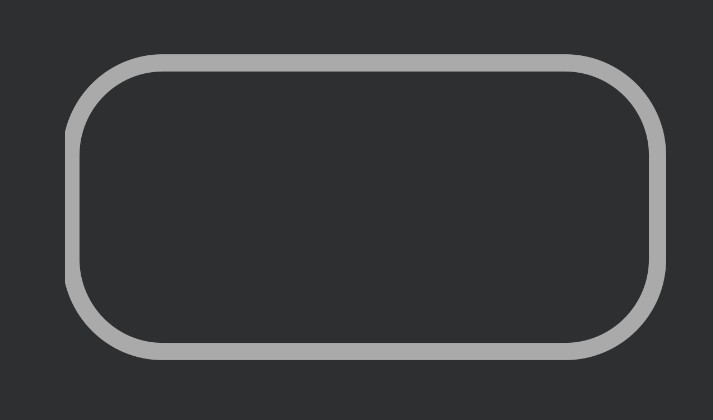
相关资料:
Docs > ShapeDrawable">Android Developers > Docs > ShapeDrawable



评论 (1)
Shape划线
用shape可以自定义简单的背景,复杂的就需要交给UI设计矢量图。划线使用line形状,本来想设置一个1dp,长24dp的线。没想到size的height属性设置为1dp就不显示了,似乎最小显示高度是2dp。
上面看似没毛病的设置,线条长24dp、高度也就是粗1dp。同样的画笔也是设置为1dp,同时设置了线条画笔颜色。但是运行起来就是没有任何线条,又遇到Android中的坑点了。
不慌,程序员不折腾就不叫程序员。把size的height改成2dp呢?
再运行就显示一条线,2dp的宽度似乎显得有点粗(自己看着都不太满意)。
再把stroke的width改成2dp,这时候又不显示line。难道莫非size的height属性必须至少比画笔stroke width属性大倍?事实如此,当size的高度小于画笔stroke width宽度就无法显示。相信size 的任何一边值小于画笔宽度都不能显示出形状。
这里我们只需要划线,为什么要指定size,单独指定其中的width,线长度不就行了?确实可以。而且线的宽度就是画笔的宽度。
可以完美的画出一个1dp、长24dp的线条。
画虚线可以设置stroke的两个属性:dashWidth、dashGap。需要调整size的width和height得到想要的虚线。
学习资料:
Android 用 xml View shape画线
Android 关于shape画虚线